Transaction List Component
The TransactionListComponent shows a list of enriched transactions in a user-friendly way, with each transaction having an associated brand.
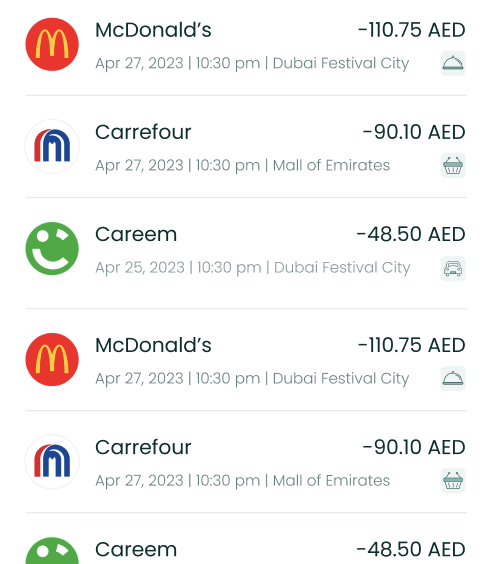
Usage
To use this view, just call the TransactionView method of your LuneSDKManager instance as shown in the example below.
TransactionView.kt
import io.lunedata.lunesdk.library.classes.LuneSDKManager

@Composable
fun TransactionView(
    luneSDK: LuneSDKManager
) {
    luneSDK.TransactionListComponent()
}
To use this view in a project with Activities and Fragments, set the component property of your view to LuneView.TransactionListComponent, as shown in the example below.
YourActivity.kt
override fun onCreate(savedInstanceState: Bundle?) {
    super.onCreate(savedInstanceState)

    // Grab our luneView and set the component property.
    val luneView = findViewById<LuneCompatManager>(R.id.luneLayout)
    luneView.component = LuneView.TransactionListComponent
}
Localization Keys and Analytics Tags
Analytics Tags Localization Keys
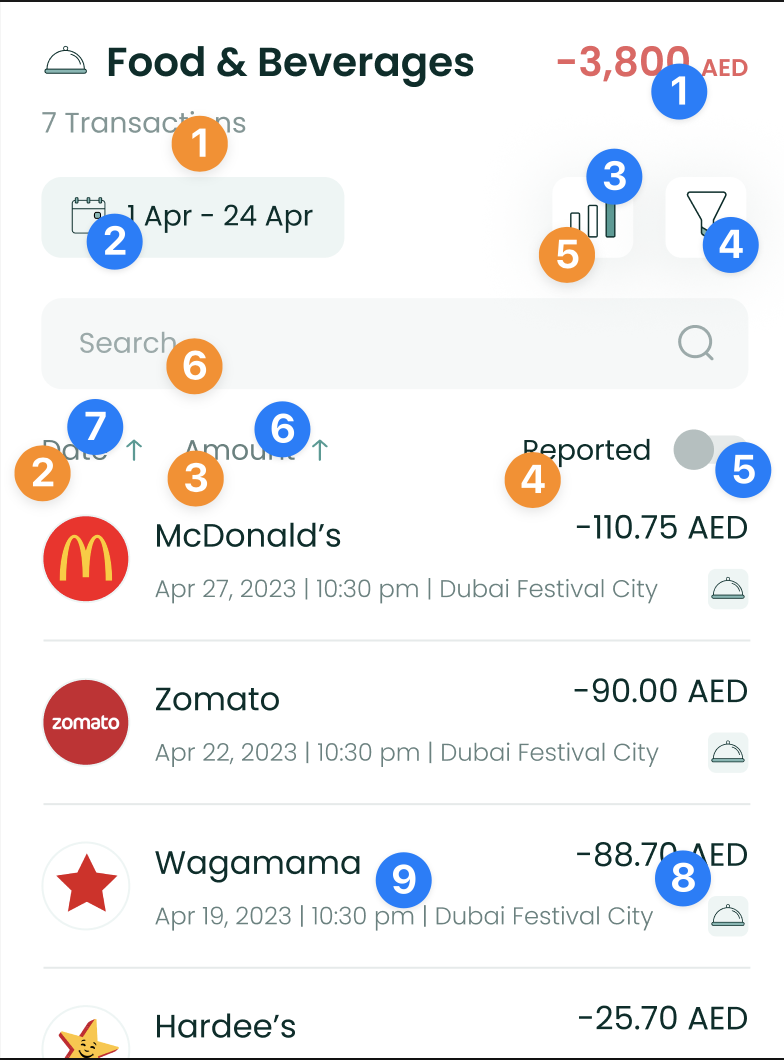 | Analytics Tags
Localization Keys
|
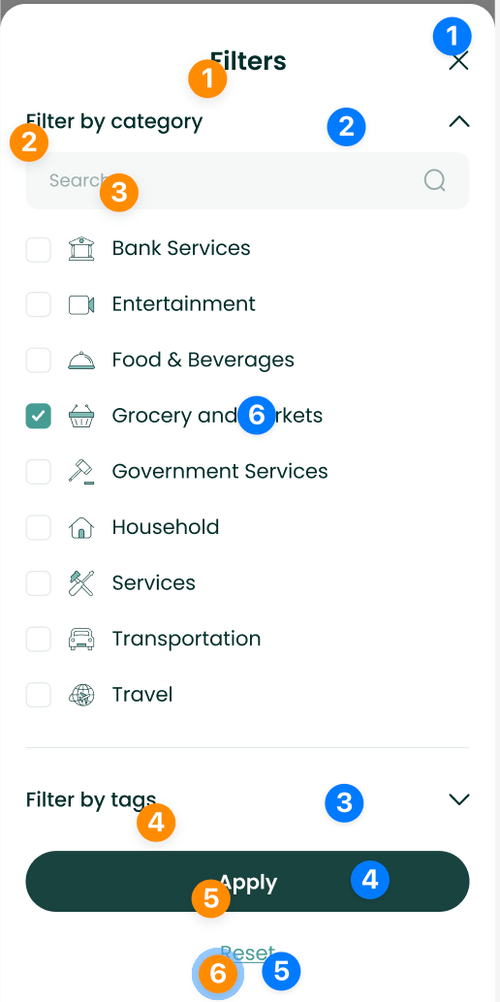 | Analytics Tags
Localization Keys
|
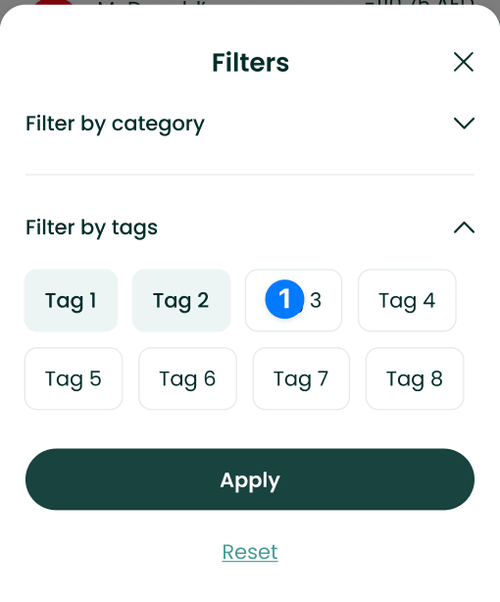 | Analytics Tags
|